Quarkus-MongoDB: Importing CSV files using Liquibase
MongoDb migration using Liquibase in Quarkus reactive application
Quarkus is a kubernates native, java stack tailored for OpenJDK HotSpot and
GraalVM, crafted from the best of breed java libraries and standards. Quarkus
is gaining popularity gradually and already it's production ready. In this
blog, we will see, how to add java based MongoDb migration using
liquibase.
We will build an application step by step. Our steps will be as follows:
- Generate a complete initial Quarkus application
- Add MongoDB dependencies to the application
- Add a docker image for running MongoDB in our local system.
- Add a simple rest endpoint so that we can check the migrated data
- Add Liquibase dependencies and configure liquibase
- Add java based migrations to Liquibase
- Test the app with our rest endpoint.
Prerequisites
For running the project, you need to have maven and
docker installed in your system. Also you need to have a JDK
installed in your system (JDK 11 or above).
Generate Quarkus Application
Before generating a Quarkus application, you need to have maven installed in
your system (we are using maven here, you may use Gradle). We will use maven
to add dependencies as we move on.
We will first generate our application with only some basic dependencies.
Go to Quarkus - Start coding with code.quarkus.io. A project generation page will be shown. Now set
- Group org.morshed
- Artifact mongbdb-test
- Build Tool Maven
The pom.xml file looks like below:
	<?xml version="1.0"?>
<project xsi:schemaLocation="http://maven.apache.org/POM/4.0.0 https://maven.apache.org/xsd/maven-4.0.0.xsd" xmlns="http://maven.apache.org/POM/4.0.0"
    xmlns:xsi="http://www.w3.org/2001/XMLSchema-instance">
  <modelVersion>4.0.0</modelVersion>
  <groupId>org.morshed</groupId>
  <artifactId>mongodb-test</artifactId>
  <version>1.0.0-SNAPSHOT</version>
  <properties>
    <compiler-plugin.version>3.8.1</compiler-plugin.version>
    <failsafe.useModulePath>false</failsafe.useModulePath>
    <maven.compiler.release>11</maven.compiler.release>
    <project.build.sourceEncoding>UTF-8</project.build.sourceEncoding>
    <project.reporting.outputEncoding>UTF-8</project.reporting.outputEncoding>
    <quarkus.platform.artifact-id>quarkus-bom</quarkus.platform.artifact-id>
    <quarkus.platform.group-id>io.quarkus.platform</quarkus.platform.group-id>
    <quarkus.platform.version>2.7.5.Final</quarkus.platform.version>
    <surefire-plugin.version>3.0.0-M5</surefire-plugin.version>
  </properties>
  <dependencyManagement>
    <dependencies>
      <dependency>
        <groupId>${quarkus.platform.group-id}</groupId>
        <artifactId>${quarkus.platform.artifact-id}</artifactId>
        <version>${quarkus.platform.version}</version>
        <type>pom</type>
        <scope>import</scope>
      </dependency>
    </dependencies>
  </dependencyManagement>
  <dependencies>
    <dependency>
      <groupId>io.quarkus</groupId>
      <artifactId>quarkus-resteasy-reactive-jackson</artifactId>
    </dependency>
    <dependency>
      <groupId>io.quarkus</groupId>
      <artifactId>quarkus-resteasy-reactive</artifactId>
    </dependency>
    <dependency>
      <groupId>io.quarkus</groupId>
      <artifactId>quarkus-arc</artifactId>
    </dependency>
    <dependency>
      <groupId>io.quarkus</groupId>
      <artifactId>quarkus-junit5</artifactId>
      <scope>test</scope>
    </dependency>
    <dependency>
      <groupId>io.rest-assured</groupId>
      <artifactId>rest-assured</artifactId>
      <scope>test</scope>
    </dependency>
  </dependencies>
  <build>
    <plugins>
      <plugin>
        <groupId>${quarkus.platform.group-id}</groupId>
        <artifactId>quarkus-maven-plugin</artifactId>
        <version>${quarkus.platform.version}</version>
        <extensions>true</extensions>
        <executions>
          <execution>
            <goals>
              <goal>build</goal>
              <goal>generate-code</goal>
              <goal>generate-code-tests</goal>
            </goals>
          </execution>
        </executions>
      </plugin>
      <plugin>
        <artifactId>maven-compiler-plugin</artifactId>
        <version>${compiler-plugin.version}</version>
        <configuration>
          <compilerArgs>
            <arg>-parameters</arg>
          </compilerArgs>
        </configuration>
      </plugin>
      <plugin>
        <artifactId>maven-surefire-plugin</artifactId>
        <version>${surefire-plugin.version}</version>
        <configuration>
          <systemPropertyVariables>
            <java.util.logging.manager>org.jboss.logmanager.LogManager</java.util.logging.manager>
            <maven.home>${maven.home}</maven.home>
          </systemPropertyVariables>
        </configuration>
      </plugin>
    </plugins>
  </build>
  <profiles>
    <profile>
      <id>native</id>
      <activation>
        <property>
          <name>native</name>
        </property>
      </activation>
      <build>
        <plugins>
          <plugin>
            <artifactId>maven-failsafe-plugin</artifactId>
            <version>${surefire-plugin.version}</version>
            <executions>
              <execution>
                <goals>
                  <goal>integration-test</goal>
                  <goal>verify</goal>
                </goals>
                <configuration>
                  <systemPropertyVariables>
                    <native.image.path>${project.build.directory}/${project.build.finalName}-runner</native.image.path>
                    <java.util.logging.manager>org.jboss.logmanager.LogManager</java.util.logging.manager>
                    <maven.home>${maven.home}</maven.home>
                  </systemPropertyVariables>
                </configuration>
              </execution>
            </executions>
          </plugin>
        </plugins>
      </build>
      <properties>
        <quarkus.package.type>native</quarkus.package.type>
      </properties>
    </profile>
  </profiles>
</project>
For running the project, we need to run the following maven command:
mvn quarkus:dev
The project will run in 8080 port in development profile. If the project run
is successful, if you browse localhost:8080 then you will see a
page like below.

MongoDB dependency and MongoDB docker image
Now add mongodb dependency. We can add mongodb dependency
in the project by running the following maven command:
mvn quarkus:add-extension -Dextensions="io.quarkus:quarkus-liquibase-mongodb"
Also we need to add Panache for MongoDb. So we also need to run
the following maven command for adding Panache dependency.
mvn quarkus:add-extension -Dextensions="io.quarkus:quarkus-mongodb-panache"
After adding the above dependencies, our pom.xml file now looks like this:
  <?xml version="1.0"?>
<project xsi:schemaLocation="http://maven.apache.org/POM/4.0.0 https://maven.apache.org/xsd/maven-4.0.0.xsd" xmlns="http://maven.apache.org/POM/4.0.0"
    xmlns:xsi="http://www.w3.org/2001/XMLSchema-instance">
  <modelVersion>4.0.0</modelVersion>
  <groupId>org.morshed</groupId>
  <artifactId>mongodb-test</artifactId>
  <version>1.0.0-SNAPSHOT</version>
  <properties>
    <compiler-plugin.version>3.8.1</compiler-plugin.version>
    <failsafe.useModulePath>false</failsafe.useModulePath>
    <maven.compiler.release>11</maven.compiler.release>
    <project.build.sourceEncoding>UTF-8</project.build.sourceEncoding>
    <project.reporting.outputEncoding>UTF-8</project.reporting.outputEncoding>
    <quarkus.platform.artifact-id>quarkus-bom</quarkus.platform.artifact-id>
    <quarkus.platform.group-id>io.quarkus.platform</quarkus.platform.group-id>
    <quarkus.platform.version>2.7.5.Final</quarkus.platform.version>
    <surefire-plugin.version>3.0.0-M5</surefire-plugin.version>
  </properties>
  <dependencyManagement>
    <dependencies>
      <dependency>
        <groupId>${quarkus.platform.group-id}</groupId>
        <artifactId>${quarkus.platform.artifact-id}</artifactId>
        <version>${quarkus.platform.version}</version>
        <type>pom</type>
        <scope>import</scope>
      </dependency>
    </dependencies>
  </dependencyManagement>
  <dependencies>
    <dependency>
      <groupId>io.quarkus</groupId>
      <artifactId>quarkus-resteasy-reactive-jackson</artifactId>
    </dependency>
    <dependency>
      <groupId>io.quarkus</groupId>
      <artifactId>quarkus-resteasy-reactive</artifactId>
    </dependency>
    <dependency>
      <groupId>io.quarkus</groupId>
      <artifactId>quarkus-arc</artifactId>
    </dependency>
    <dependency>
      <groupId>io.quarkus</groupId>
      <artifactId>quarkus-liquibase-mongodb</artifactId>
    </dependency>
    <dependency>
      <groupId>io.quarkus</groupId>
      <artifactId>quarkus-mongodb-panache</artifactId>
    </dependency>
    <dependency>
      <groupId>io.quarkus</groupId>
      <artifactId>quarkus-junit5</artifactId>
      <scope>test</scope>
    </dependency>
    <dependency>
      <groupId>io.rest-assured</groupId>
      <artifactId>rest-assured</artifactId>
      <scope>test</scope>
    </dependency>
  </dependencies>
  <build>
    <plugins>
      <plugin>
        <groupId>${quarkus.platform.group-id}</groupId>
        <artifactId>quarkus-maven-plugin</artifactId>
        <version>${quarkus.platform.version}</version>
        <extensions>true</extensions>
        <executions>
          <execution>
            <goals>
              <goal>build</goal>
              <goal>generate-code</goal>
              <goal>generate-code-tests</goal>
            </goals>
          </execution>
        </executions>
      </plugin>
      <plugin>
        <artifactId>maven-compiler-plugin</artifactId>
        <version>${compiler-plugin.version}</version>
        <configuration>
          <compilerArgs>
            <arg>-parameters</arg>
          </compilerArgs>
        </configuration>
      </plugin>
      <plugin>
        <artifactId>maven-surefire-plugin</artifactId>
        <version>${surefire-plugin.version}</version>
        <configuration>
          <systemPropertyVariables>
            <java.util.logging.manager>org.jboss.logmanager.LogManager</java.util.logging.manager>
            <maven.home>${maven.home}</maven.home>
          </systemPropertyVariables>
        </configuration>
      </plugin>
    </plugins>
  </build>
  <profiles>
    <profile>
      <id>native</id>
      <activation>
        <property>
          <name>native</name>
        </property>
      </activation>
      <build>
        <plugins>
          <plugin>
            <artifactId>maven-failsafe-plugin</artifactId>
            <version>${surefire-plugin.version}</version>
            <executions>
              <execution>
                <goals>
                  <goal>integration-test</goal>
                  <goal>verify</goal>
                </goals>
                <configuration>
                  <systemPropertyVariables>
                    <native.image.path>${project.build.directory}/${project.build.finalName}-runner</native.image.path>
                    <java.util.logging.manager>org.jboss.logmanager.LogManager</java.util.logging.manager>
                    <maven.home>${maven.home}</maven.home>
                  </systemPropertyVariables>
                </configuration>
              </execution>
            </executions>
          </plugin>
        </plugins>
      </build>
      <properties>
        <quarkus.package.type>native</quarkus.package.type>
      </properties>
    </profile>
  </profiles>
</project>
Add MongoDB docker-compose file
Let's create a file named mongodb.yml under
src/main/docker folder and add the below code snippets.
version: '2'
services:
  morshed-mongodb:
    image: mongo:4.2.7
    ports:
      - '27019:27017'
    volumes:
      - ~/volumes/morshed/morshed-blog/mongodb/:/data/db/
This is a compose file. Here mongodb will run in 27017 in docker container,
but will be exposed in 27019 port. Also we are using volumes so that we may
have a persisted data. For running the compose file, go to the folder and run
the following command:
docker-compose -f mongodb.yml up
So now our mongodb database is up and running. Let's configure the mongodb
database in the application.
Configure MongoDB database
We need to add the following properties in our
application.properties file.
quarkus.mongodb.connection-string = mongodb://localhost:27019
quarkus.mongodb.database = morshed-blog
Now are mongodb configuration is done. Now we will add Liquibase dependency
and configure liquibase. Also we will add models so that we can test our
migrations.
Add Liquibase dependency and configure Liquibase
We need to run the following maven command
mvn quarkus:add-extension -Dextensions="io.quarkus:quarkus-liquibase-mongodb"
After adding the Liquibase dependency, we need to configure liquibase for our
application.
We need to add the following snippets in our
application.properties file
quarkus.liquibase-mongodb.migrate-at-start=true
The above snippets are for running the liquibase migration at the
project startup.
Now we need to add a changelog file. The default changelog location is
src/main/resource/db. Lets create a file named
changeLog.xml under the directory and add the following snippets.
  <?xml version="1.1" encoding="UTF-8" standalone="no"?>
<databaseChangeLog
        xmlns="http://www.liquibase.org/xml/ns/dbchangelog"
        xmlns:xsi="http://www.w3.org/2001/XMLSchema-instance"
        xmlns:ext="http://www.liquibase.org/xml/ns/dbchangelog-ext"
        xsi:schemaLocation="http://www.liquibase.org/xml/ns/dbchangelog https://www.liquibase.org/xml/ns/dbchangelog/dbchangelog-4.4.xsd
        http://www.liquibase.org/xml/ns/dbchangelog-ext https://www.liquibase.org/xml/ns/dbchangelog/dbchangelog-ext.xsd">


</databaseChangeLog>
Now let's write a model named Division.java
    package org.morshed;

import io.quarkus.mongodb.panache.common.MongoEntity;
import io.quarkus.mongodb.panache.reactive.ReactivePanacheMongoEntityBase;
import org.bson.codecs.pojo.annotations.BsonId;


@MongoEntity(collection = "Division")
public class Division extends ReactivePanacheMongoEntityBase {
    @BsonId
    public Integer divisionId;
    public String name;
    public String bnName;
    public String url;
}
Here, we have extended ReactivePanacheMongoEntityBase. Also we are not
using the default id, rather we are using divisionId as index and
so we have annotated divisionId with @BsonId.
Importing CSV file using Liquibase
Lets add a csv file under src/main/resource/db/initial-data and the
file name is DIVISIONS.csv. Add the following data.
1,Chattagram,চট্টগ্রাম,www.chittagongdiv.gov.bd
2,Rajshahi,রাজশাহী,www.rajshahidiv.gov.bd
3,Khulna,খুলনা,www.khulnadiv.gov.bd
4,Barisal,বরিশাল,www.barisaldiv.gov.bd
5,Sylhet,সিলেট,www.sylhetdiv.gov.bd
6,Dhaka,ঢাকা,www.dhakadiv.gov.bd
7,Rangpur,রংপুর,www.rangpurdiv.gov.bd
8,Mymensingh,ময়মনসিংহ,www.mymensinghdiv.gov.bd
We need to declare a class named DivisionChangeset which will implement
CustomTaskChange class from Liquibase. We need to add the following
code snippets.
package org.morshed;

import liquibase.change.custom.CustomTaskChange;
import liquibase.database.Database;
import liquibase.exception.CustomChangeException;
import liquibase.exception.SetupException;
import liquibase.exception.ValidationErrors;
import liquibase.resource.ResourceAccessor;

import java.io.BufferedReader;
import java.io.InputStreamReader;
import java.util.ArrayList;
import java.util.Arrays;
import java.util.List;

public class DivisionChangeset implements CustomTaskChange {

    // to hold the parameter value (csv file location)
    private String file;

    private ResourceAccessor resourceAccessor;

    public String getFile(){
        return file;
    }

    public void setFile(String file){
        this.file = file;
    }

    @Override
    public void execute(Database database) throws CustomChangeException {
        try{
            BufferedReader in = new BufferedReader(
                    new InputStreamReader(resourceAccessor.openStream(null, file), "UTF-8")
            );
            //ignore header
            String str = null;
            List<division> divisions = new ArrayList<>();
            while ((str = in.readLine()) != null && !str.trim().equals("")) {
                List<string> objects = new ArrayList<string>(Arrays.asList(str.split(",")));
                Division division = new Division();
                division.divisionId =  Integer.parseInt(objects.get(0));
                division.name =  objects.get(1);
                division.bnName = objects.get(2);
                division.url = objects.get(3);
                divisions.add(division);
            }
            Division.persist(divisions).subscribeAsCompletionStage();

        }catch (Exception e){
            throw new CustomChangeException(e);
        }
    }

    @Override
    public String getConfirmationMessage() {
        return null;
    }

    @Override
    public void setUp() throws SetupException {

    }

    @Override
    public void setFileOpener(ResourceAccessor resourceAccessor) {
        this.resourceAccessor = resourceAccessor;
    }

    @Override
    public ValidationErrors validate(Database database) {
        return null;
    }
}
Let's explain the above code snippets.
First we declare two variables.
    private String file;

    private ResourceAccessor resourceAccessor;

    public String getFile(){
        return file;
    }

    public void setFile(String file){
        this.file = file;
    }
Here, file will refer to the .csv file location.
ResourceAccesor is needed for getting the resource from liquibase
configuration. Migration is executed in the execute() method. Note,
here we don't need to have any functionalities of the Database input
variable, because we store the data using Panache entity.
In the execute() method body, we have following snippets.
We are using try catch block as we are reading the file using
InputStreamReader. In the try block, we iterate through the lines. For
each line, we make a list from the comma separated values. Then we assign the
values in the Division model. Later, we persist the data by calling
Division.persist(divisions).subscribeAsCompletionStage().
 try{
    BufferedReader in = new BufferedReader(
            new InputStreamReader(resourceAccessor.openStream(null, file), "UTF-8")
    );
    //ignore header
    String str = null;
    List<division> divisions = new ArrayList<>();
    while ((str = in.readLine()) != null && !str.trim().equals("")) {
        List<string> objects = new ArrayList<string>(Arrays.asList(str.split(",")));
        Division division = new Division();
        division.divisionId =  Integer.parseInt(objects.get(0));
        division.name =  objects.get(1);
        division.bnName = objects.get(2);
        division.url = objects.get(3);
        divisions.add(division);
    }
    Division.persist(divisions).subscribeAsCompletionStage();

}catch (Exception e){
    throw new CustomChangeException(e);
}
Our Java based migration file is ready. We need to mention the class in our
changeLog.xml file as below.
    	<?xml version="1.1" encoding="UTF-8" standalone="no"?>
<databaseChangeLog
        xmlns="http://www.liquibase.org/xml/ns/dbchangelog"
        xmlns:xsi="http://www.w3.org/2001/XMLSchema-instance"
        xmlns:ext="http://www.liquibase.org/xml/ns/dbchangelog-ext"
        xsi:schemaLocation="http://www.liquibase.org/xml/ns/dbchangelog https://www.liquibase.org/xml/ns/dbchangelog/dbchangelog-4.4.xsd
        http://www.liquibase.org/xml/ns/dbchangelog-ext https://www.liquibase.org/xml/ns/dbchangelog/dbchangelog-ext.xsd">

    <changeSet id="000000001" author="Monjur-E-Morshed">
        <customChange class="org.morshed.DivisionChangeset">
            <param name="file" value="db/initial-data/DIVISIONS.csv"></param>
        </customChange>
    </changeSet>

</databaseChangeLog>
Now our migration file is complete. If we run the application now, we will see
a log which says migration 000000001 is successfull with the execution
time.
Let's modify the GreetingResource class so that if we call
localhost:8080/hello then we will get the list of migrated
divisions. Our modified GreetingResource.class is modified as
below.
package org.morshed;

import io.smallrye.mutiny.Uni;

import javax.ws.rs.GET;
import javax.ws.rs.Path;
import javax.ws.rs.Produces;
import javax.ws.rs.core.MediaType;
import java.util.List;

@Path("/hello")
public class GreetingResource {

    @GET
    @Produces(MediaType.APPLICATION_JSON)
    public Uni<List<Division>> hello() {
        return Division.listAll();
    }
}
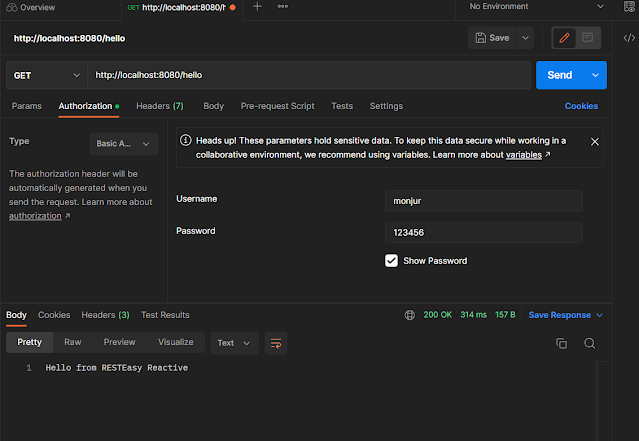
If we call the localhost:8080/hello then we will get the migrated data in json format.

Thanks for reading the blog. Comments are welcome for improving the blog.
Comments
Post a Comment